Company Admin
Connecting Energy Star Portfolio Manager
This page walks through connecting Energy Star Portfolio Manager to CERQA via the Integrations menu. Once connected, energy and water-use data from your Portfolio Manager account flows into CERQA's Sustainability views automatically.
Eligibility - this integration is for National Grid customers
Eligibility
This integration is available for National Grid customers who have an Energy Star Portfolio Manager account set up through National Grid. The Portfolio Manager account must already exist on the EPA side before CERQA can connect to it.
If you are not a National Grid customer, two things may happen. The Energy Star card may not appear in your Integrations grid at all, or it may appear and the connection will fail at the EPA sign-in step. In either case, your CERQA Account Manager is the fastest way to confirm eligibility and arrange access. CA-14 - When to call your CERQA Account Manager covers escalation paths.
Opening Integrations
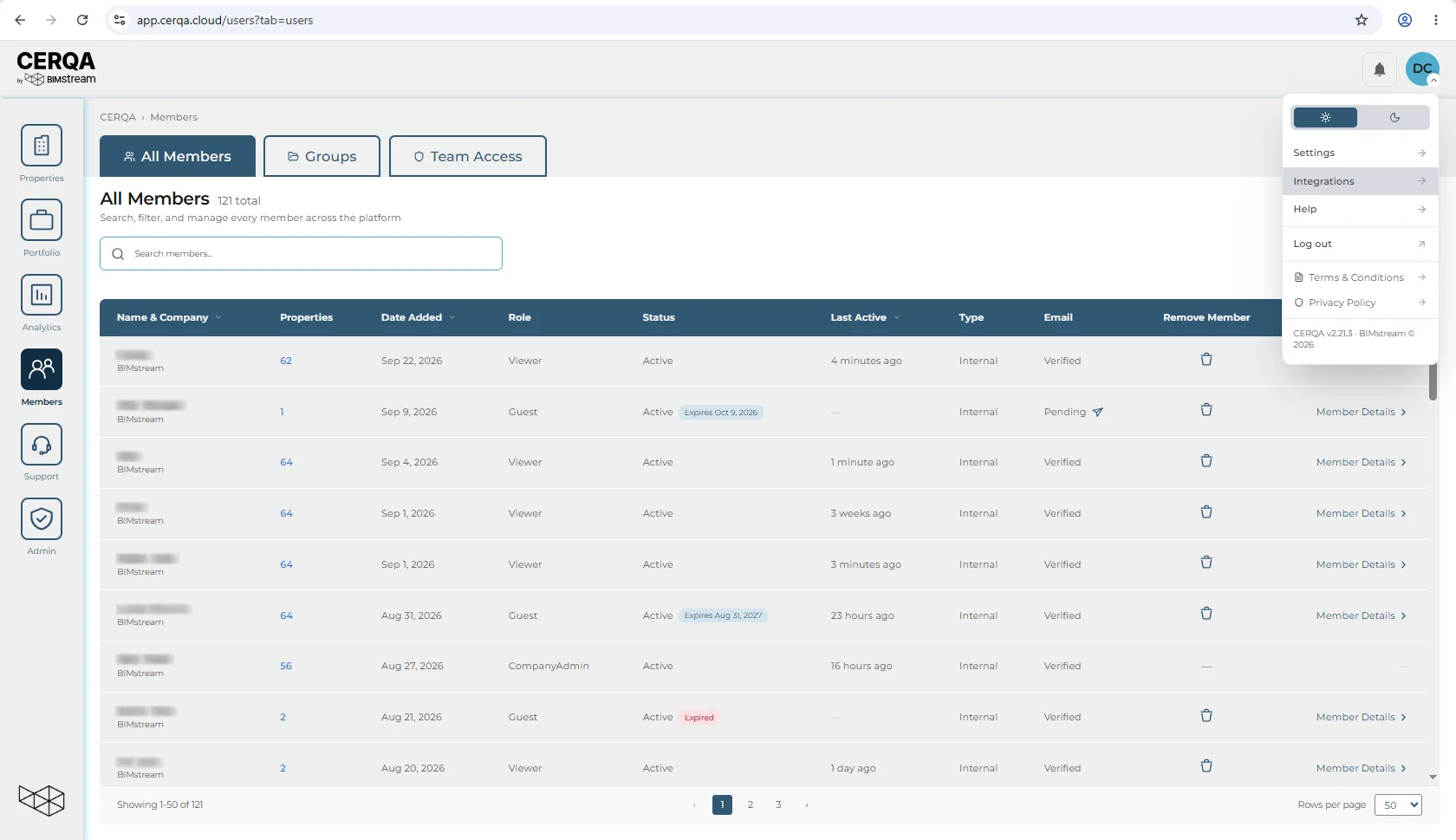
Open the avatar menu in the top-right of the CERQA header, then choose Integrations. The Integrations page is company-wide and available to Company Admins only. CA-02 - Logging in and your sidebar covers the avatar menu in full.
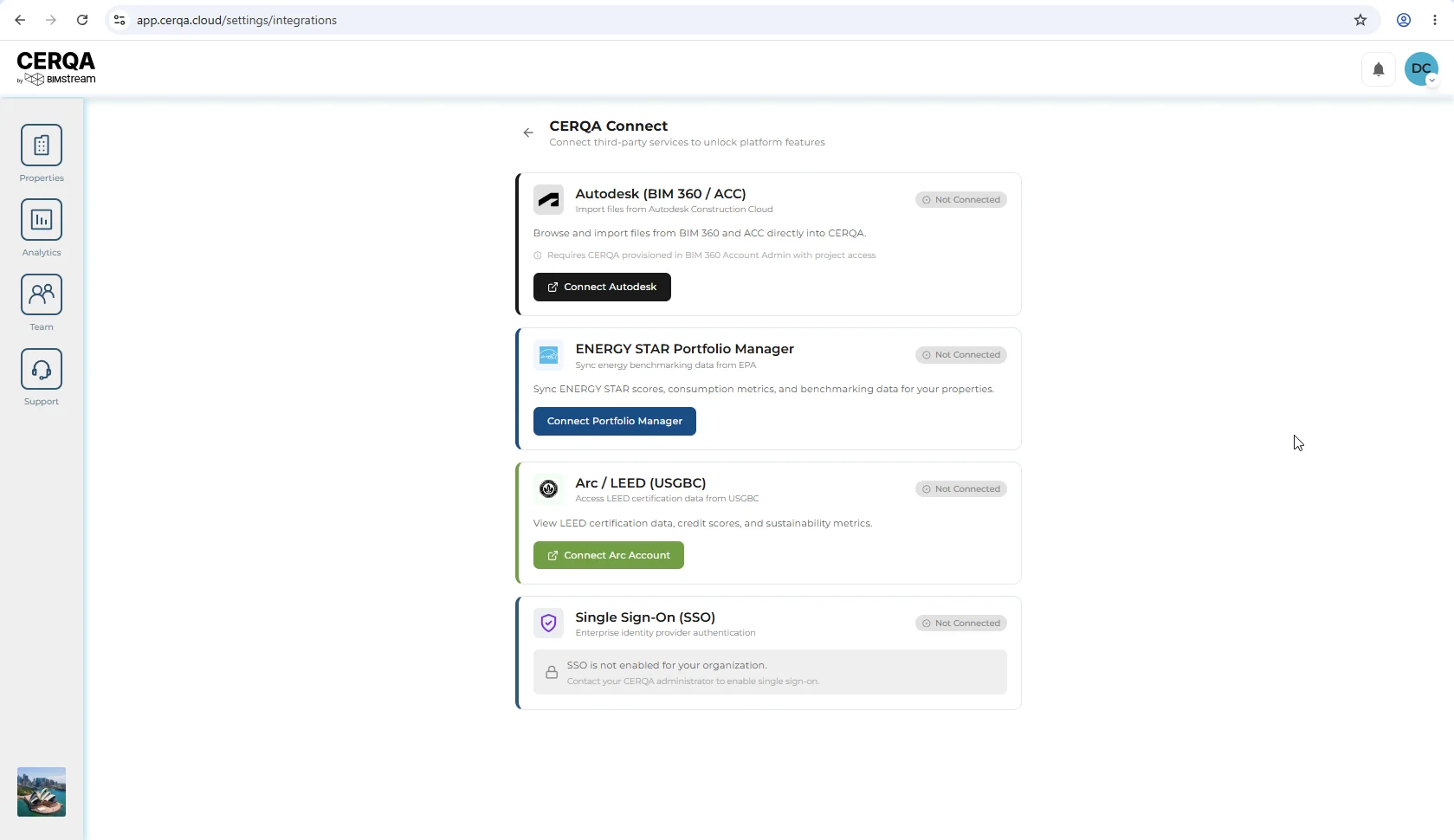
Integrations opens as a grid of cards, one card per available integration. Each card shows the connection status (Not Connected / Connected) and, when connected, basic details about who connected it.
Energy Star Portfolio Manager
Energy Star Portfolio Manager is EPA's benchmarking platform. Connecting it brings two kinds of data into CERQA on a recurring basis:
- 1Energy consumption - Utility energy data from your linked Portfolio Manager properties, used for sustainability tracking and benchmarking inside CERQA.
- 2Water use - Water-consumption data alongside energy, where available on the Portfolio Manager side.
The data lands in the Sustainability sub-tab inside each property's Connections tab. CA-11 - The Connections tab covers what you can do with the data once it's flowing in.
The connection flow
The connection has two halves: CERQA-side, where you start the connection, and EPA-side, where you sign in with your Portfolio Manager credentials and authorize data sharing back to CERQA.
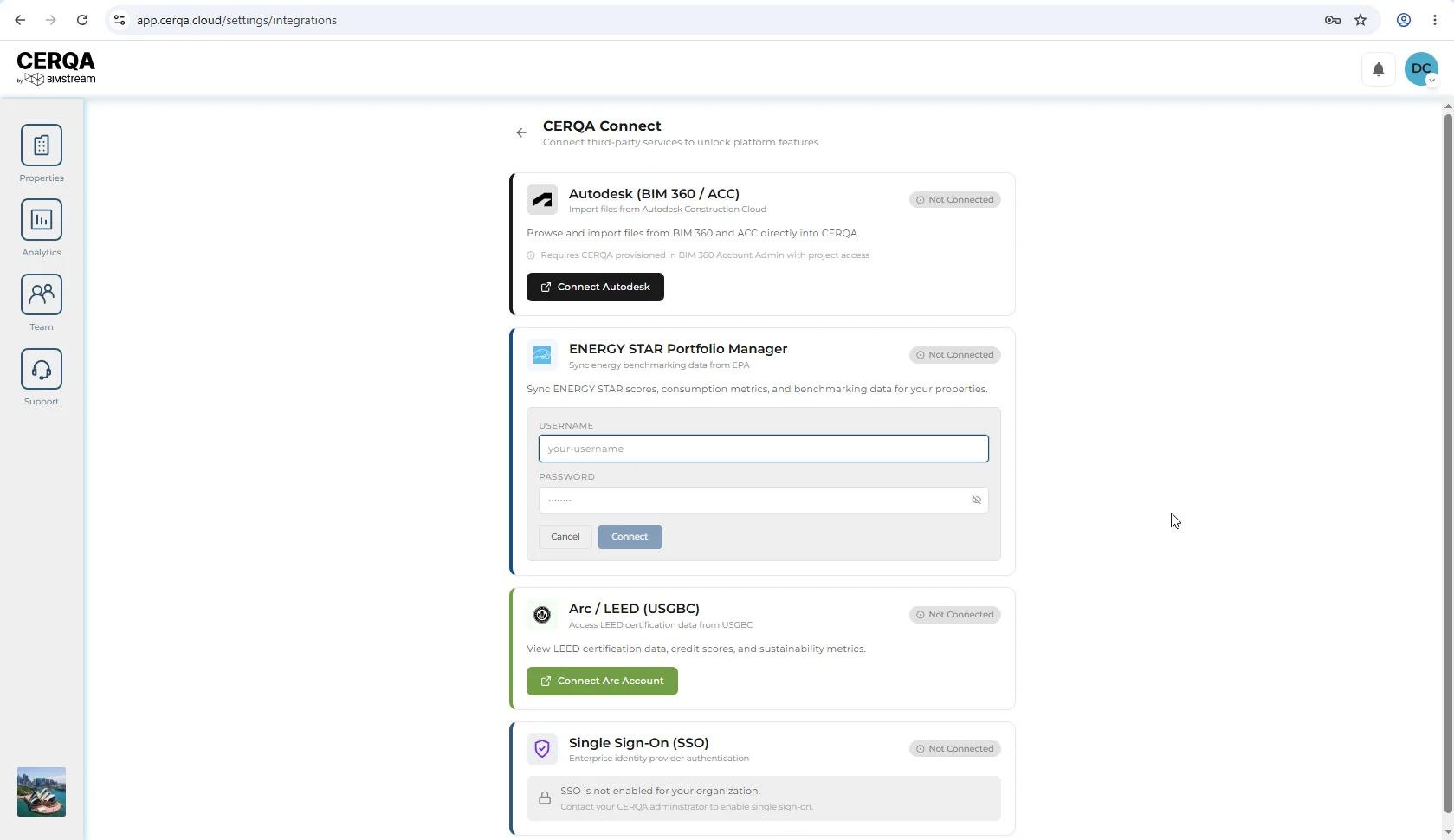
On the CERQA side, click the Connect button on the Energy Star card in the Integrations grid. The connection dialog opens. Fill in the fields CERQA asks for, then submit to begin the handoff.
You'll be redirected to EPA's site
Once you accept the data-sharing request on EPA's side, your browser returns to CERQA and the Energy Star card flips to the Connected state.
Verifying the connection worked
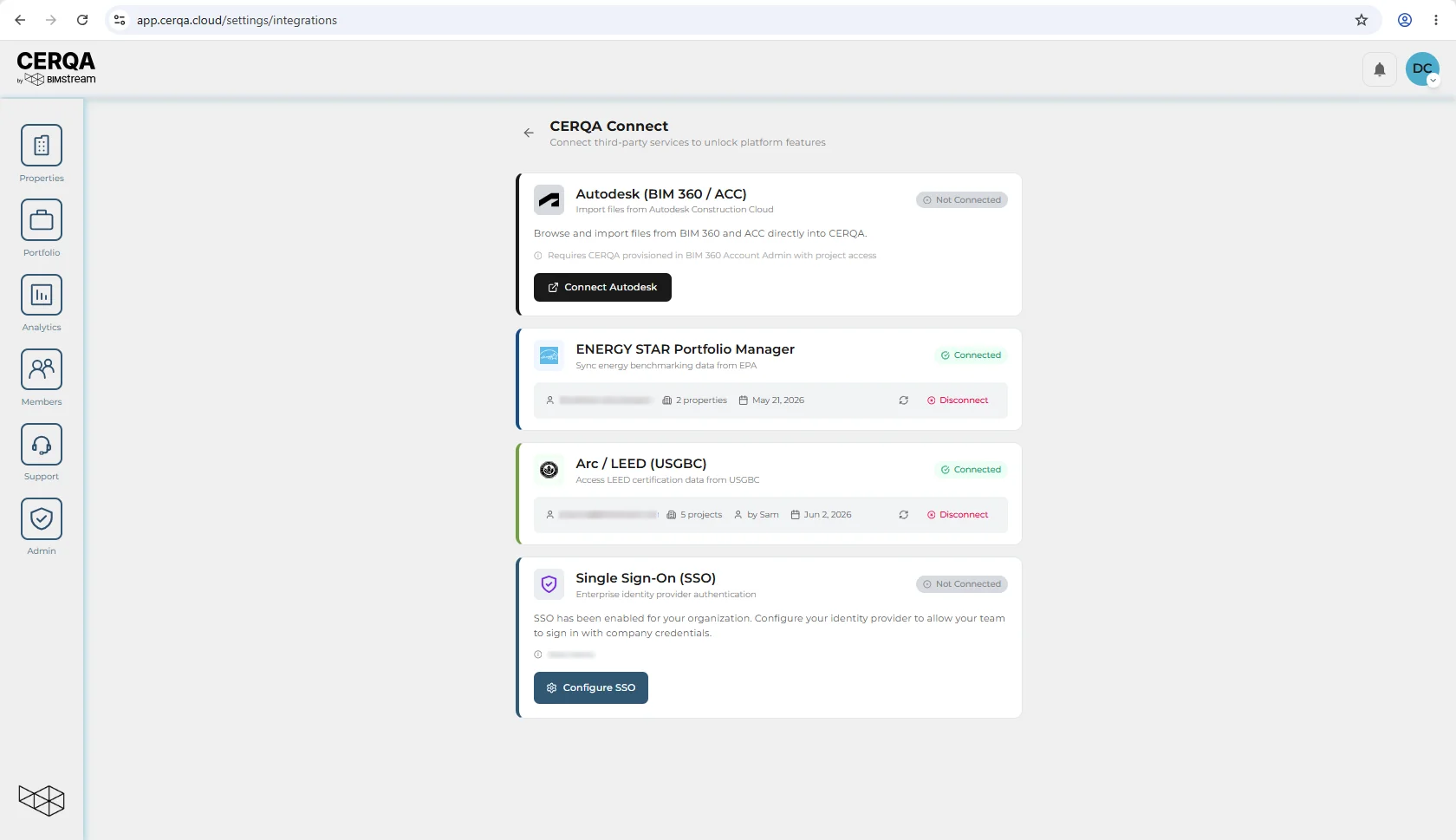
On the Integrations page, the Energy Star card now shows Connected, along with the connecting member's email and the connection date. This is the company-wide confirmation.
On the property side, open any property where Energy Star data is expected, then navigate to Connections → Sustainability → ENERGY STAR. When EPA's next sync completes, consumption and water-use data appears in the ENERGY STAR inner tab. Sync timing is controlled by EPA, not by CERQA; expect the first data to appear within a few hours of accepting the sharing request.
Related pieces
- CA-02 - Logging in and your sidebar - the avatar menu and where Integrations lives.
- CA-11 - The Connections tab - where Sustainability data, including ENERGY STAR, lands on each property.
- CA-14 - When to call your CERQA Account Manager - escalation paths for eligibility and sign-in failures.