Modules
Vision mesh tools
Vision mesh is CERQA Vision's mesh-reconstructed 360 geometry. The Vision capture you walk through on the floor plan has been processed into a navigable 3D mesh that backs improved mesh measurement: the same 4-mode Beta suite covered in VS-03, now registered against 3D geometry instead of a spherical projection. This page covers it, plus when to reach for Vision mesh vs classic 360.
What Vision mesh is
A classic 360 capture appears as a panorama projected onto a sphere. Vision mesh processes the same capture into a textured 3D mesh - the surfaces you see have actual geometry behind them, not just a spherical projection. To activate Vision mesh, set VIEW MODE: 3D Mesh from the Vision sidebar (the dual-control system is covered in VS-02 - Floor plans & navigation).
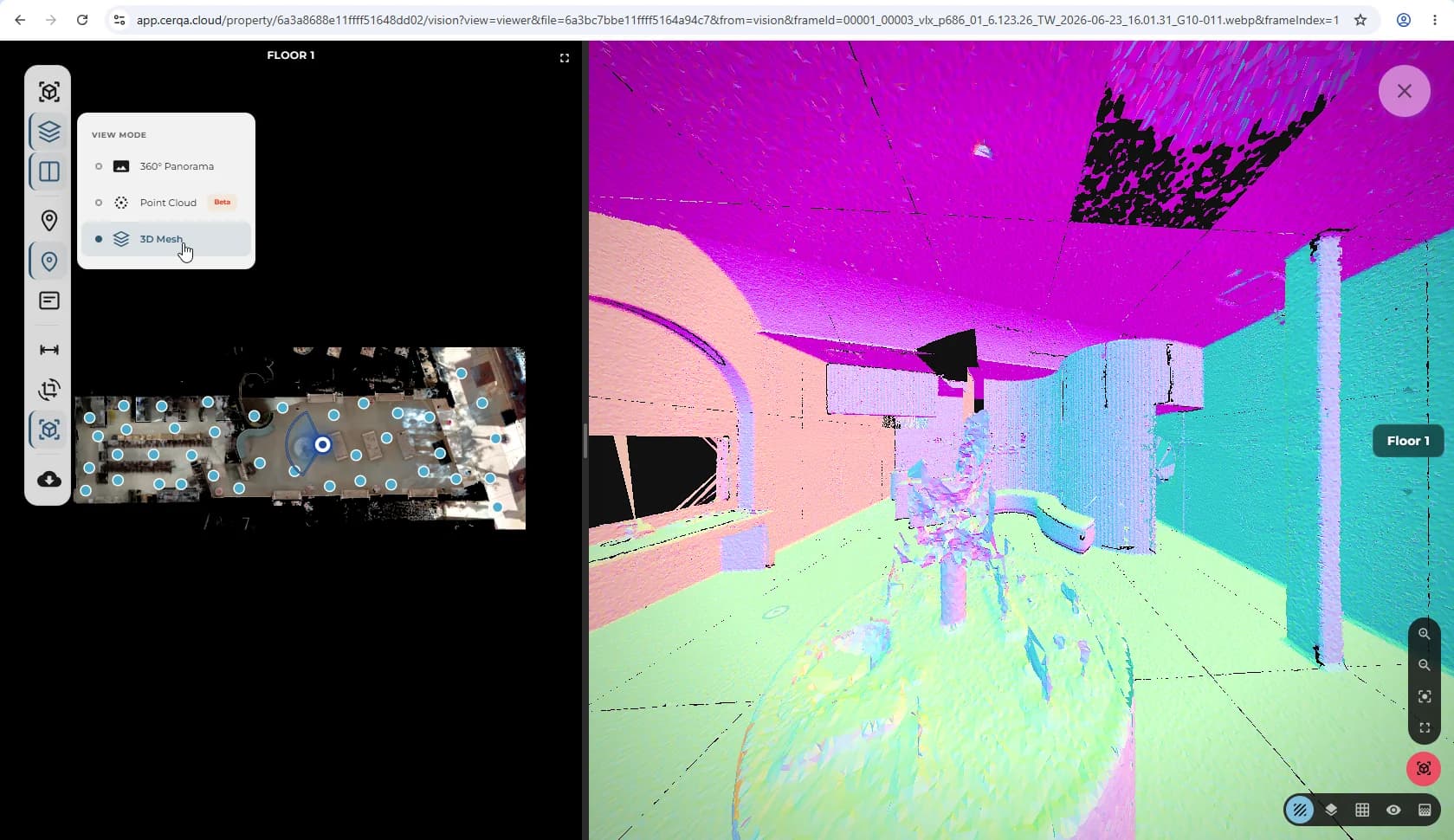
3D Mesh is NOT Beta
The Beta badge in the VIEW MODE control sits on Point Cloud, not on 3D Mesh. 3D Mesh is stable. The measurement modes themselves carry Beta status (see the next section); the mesh renderer that backs them does not.
Mesh measurement - the 4-mode Beta suite
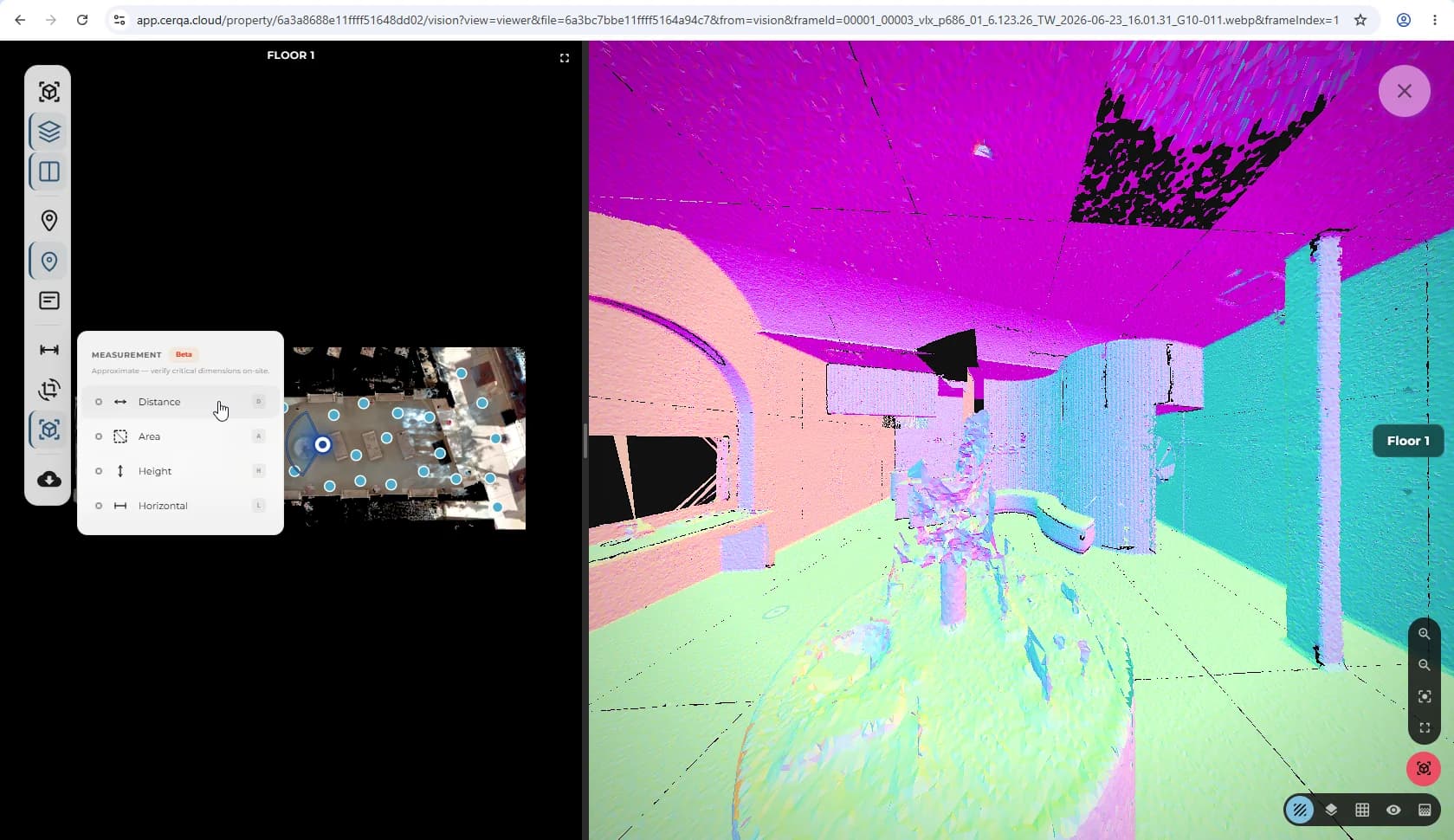
Vision mesh exposes the same 4-mode measurement suite as classic 360, but registered against 3D mesh geometry instead of the spherical projection.
- Distance - point-to-point linear measurement.
- Area - polygon area on a mesh surface.
- Height - vertical measurement.
- Horizontal - horizontal measurement.
All four modes are Beta in the UI; each carries a Beta badge. Metric and imperial units are both available and toggleable. Pick a mode, click on the mesh to place measurement points, read the value.
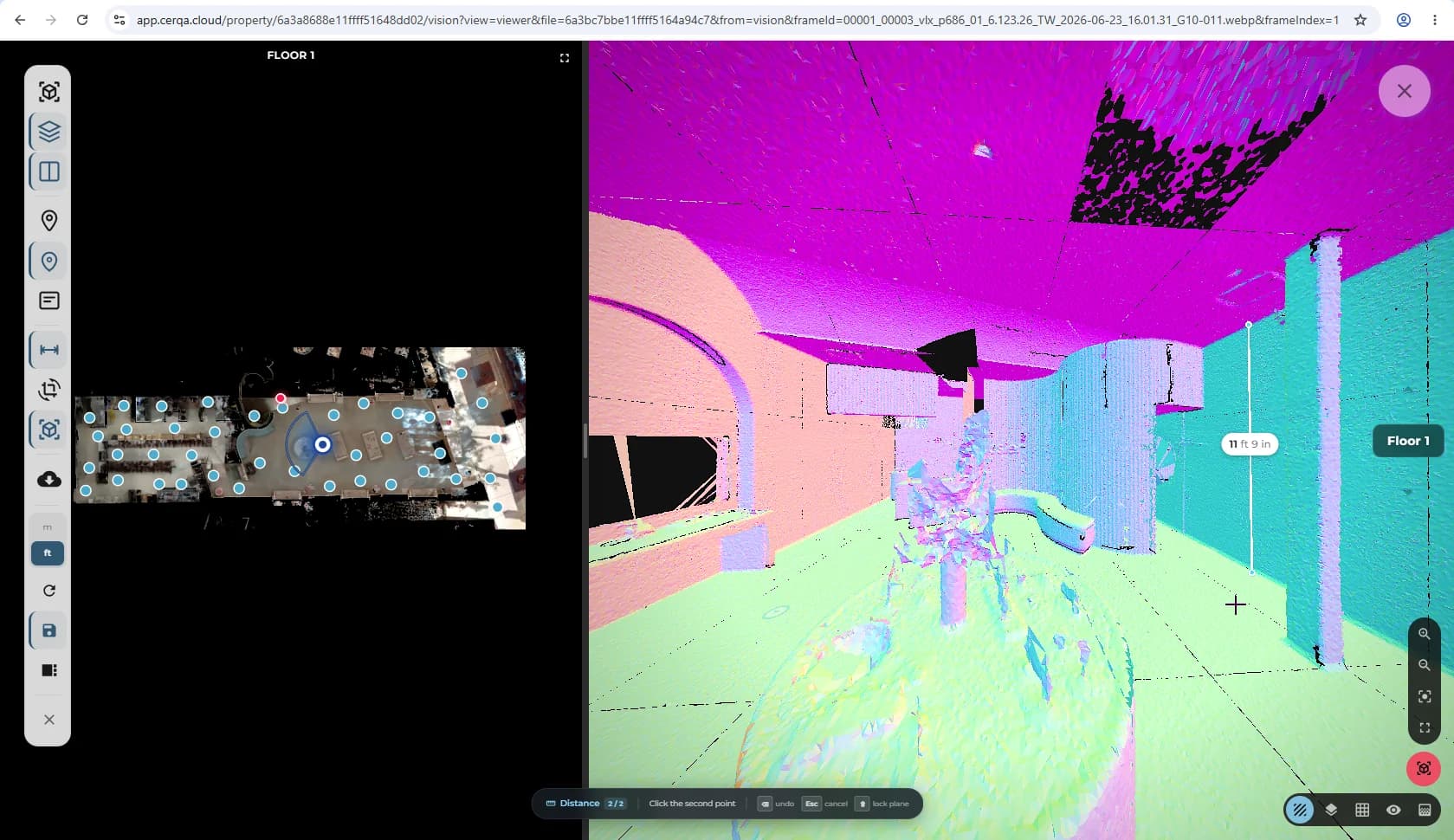
The measurement workflow itself (placing points, interpreting the readout, switching modes, edit/delete rules on measurements + annotations) is identical to the classic-360 version covered in detail in VS-03 - Vision annotations & measurements. Vision mesh changes the underlying geometry the measurements register against; it does not change how you use them.
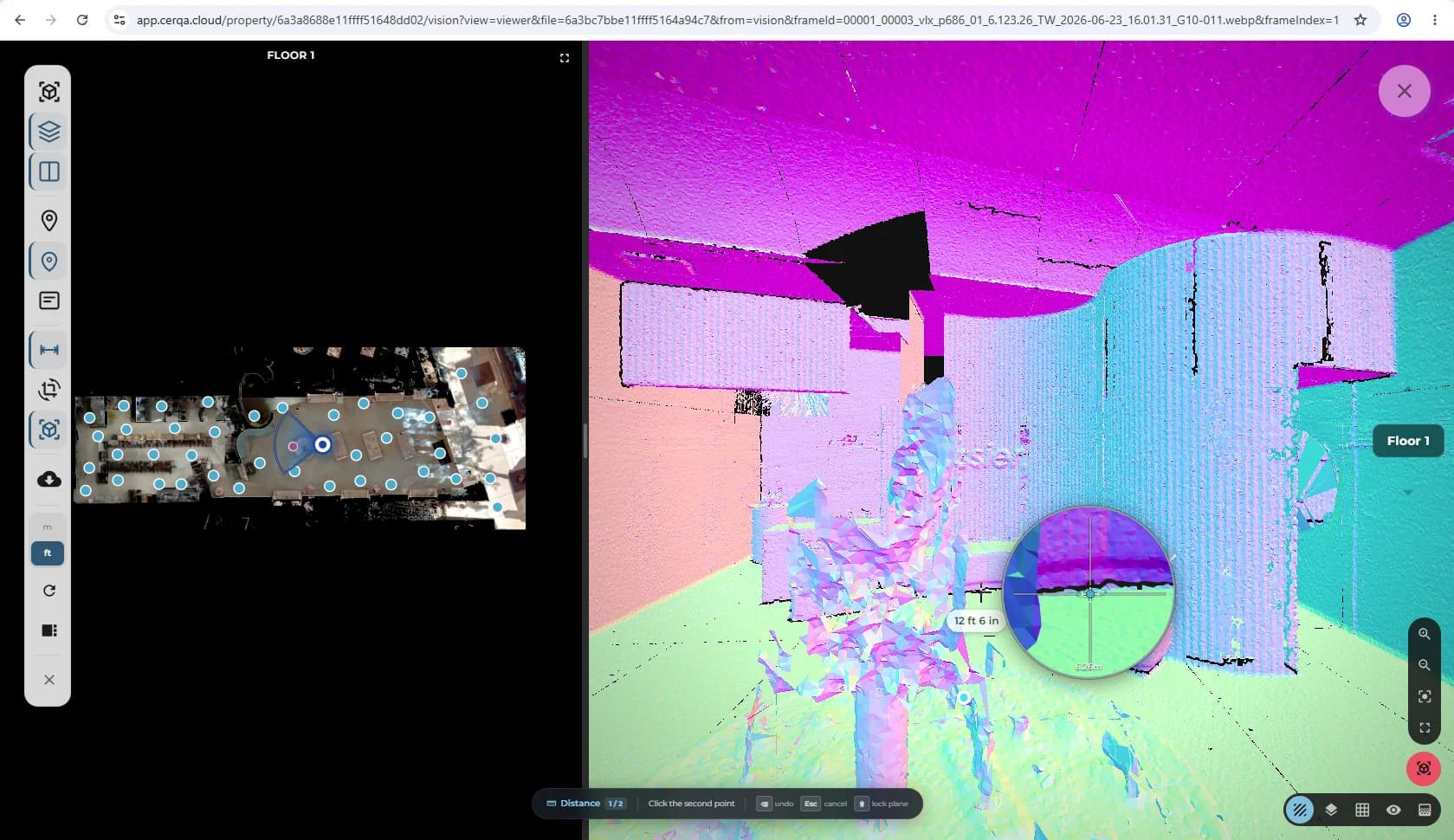
That includes the magnifier: while you place points it appears at the cursor showing that area at higher zoom, on mesh exactly as it does on a classic 360.
When to use Vision mesh vs classic 360
Both view modes work for navigation and basic inspection; they differ on the depth of geometry behind what you see. Pick by the work you are doing:
- 1Use Vision mesh when accuracy matters - Measurement registers against actual 3D geometry, which gives better accuracy especially for area and height.
- 2Use classic 360 (panorama) for routine review - When you are walking through a property for general review, the panorama is faster and looks closer to a photo. Measurement still works but registers against the sphere, which is less accurate for non-distance modes.
- 3Vision mesh availability varies per capture - Not every 360 capture has been processed into a Vision mesh. If Vision mesh isn't available for a given capture, the 3D Mesh option in the VIEW MODE control will be disabled. Classic 360 always works.
For the BIM viewer's side of measurement, see M-02 - Section tools. On the Vision side, measurement comes in two contexts: classic 360 measurement (VS-03) and Vision mesh measurement (this piece).
Related pieces
- VS-01 - Vision & 360 walkthroughs overview - walkthrough pins, entering a 360, Capture image, Viewpoints. Foundation for everything in Vision.
- VS-02 - Floor plans & navigation - the LAYOUT and VIEW MODE controls. Setting VIEW MODE: 3D Mesh is how you enter Vision mesh.
- VS-03 - Vision annotations & measurements - the same 4-mode Beta measurement suite in classic 360 context, plus text annotations and the edit/delete tier.
- M-02 - Section tools - the BIM viewer's side: the section box and point-to-point measurement.