Project Manager
Sharing with external partners
Cross-company partner sharing in CERQA is handled at the BIMstream platform level. As a Project Manager, you cannot grant a cross-company partner access yourself; that surface is not in your role. This page is a boundary doc rather than a procedural walkthrough: it explains what you CAN do when an external partner needs to see something, what is above your scope, and how to escalate when full cross-company access is required.
No PM-side procedural flow here
You won't find a step-by-step here for inviting a cross-company partner because the underlying feature is gated above your role per F-04. The piece points you at the right paths for the partner-facing work that IS yours, and at the escalation path for what is not.
What you see as a Project Manager
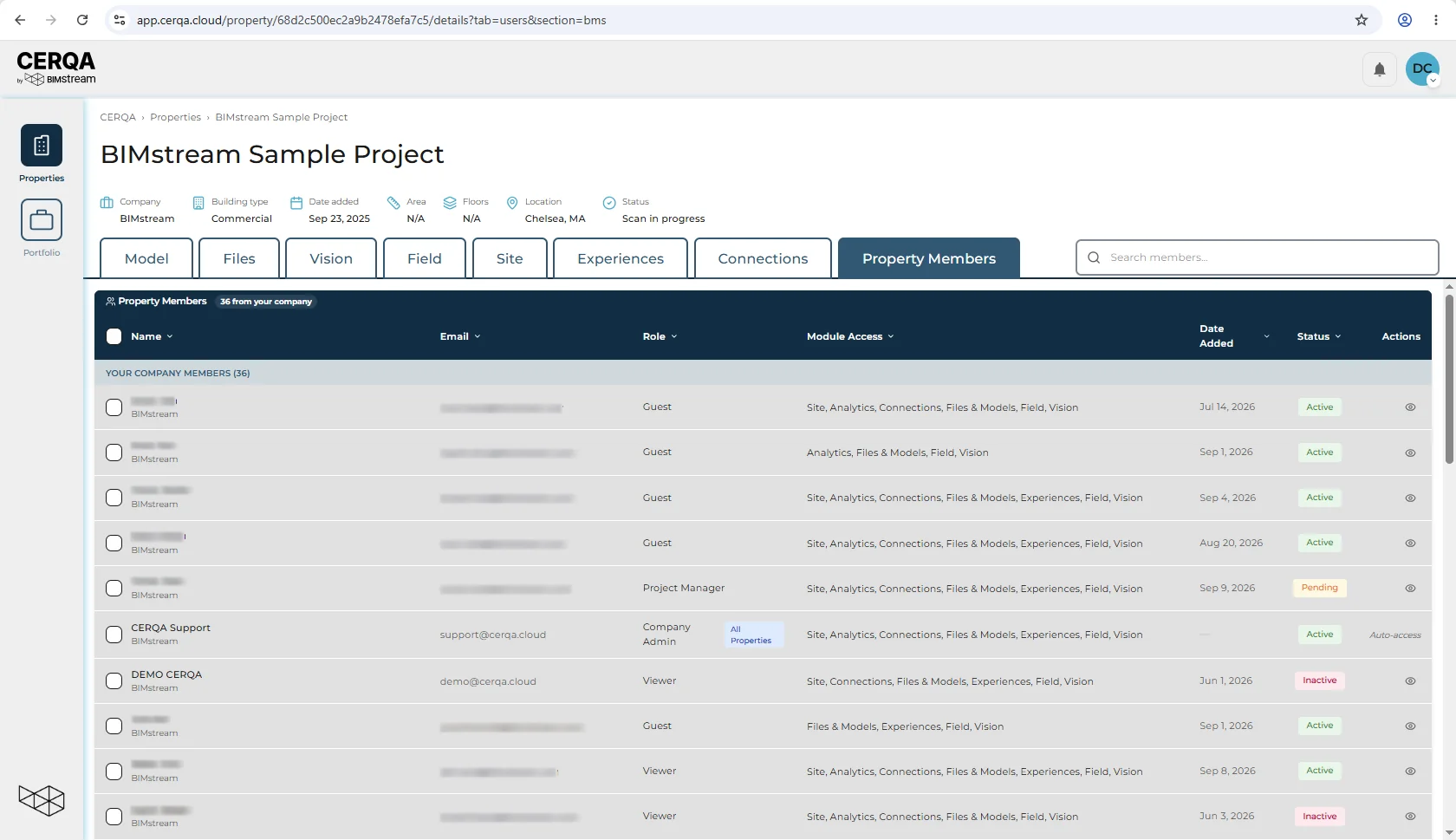
As a Project Manager you have no company-level Members page: the Members entry does not appear in your sidebar, and the company member list, Groups and Team Access are Company Admin surfaces. What you see of membership is each property's Property Members tab: the members of that property from your company, who is active or pending, and their property role. You use it to verify who is on a property, not to add anyone.
There is no cross-company surface anywhere in your view. Cross-Company Access is a BIMstream platform function; neither you nor a standard customer Company Admin has it.
What you can do
Two paths are available to a Project Manager for partner-like sharing. Both are day-to-day tools.
1. Share a specific file or folder via a time-limited link
Open a file or folder in CERQA's Files tab and use the Share dialog. The Share action is available to Contributor and above, following the same edit permission as markup; what a given share can reach depends on where the file sits and who the recipient is. As a PM you can generate a time-limited external share link with the following parameters:
- Link Expires: 7 / 30 / 60 / 90 days (default 30).
- Allow recipient to extend expiry (toggle).
- Send email notification (toggle).
This is the lightest-weight partner handoff and the most-used in practice. For the full dialog walkthrough, see D-02 - Sharing & external links.
2. Add a Guest-role member to a specific property
On a property's Property Members tab, the Add Member dialog can assign a Guest-role member with a time-bounded access period. The Guest property-role label is “Limited access”, and the dialog carries an Access Duration preset picker (30 / 90 / 180 days / 1 year / Custom / No expiry; 30 days by default) for the expiry. (Editing the expiry later, on an existing member, uses a plain date input in the Member Details modal; see CA-05's two-UI model.)
You need to be a Project Admin on the property to use this
The Add Member button is visible to Project Admin and above. PMs cannot manage members on a property's Property Members tab, so this path is available to you only when you also hold the Project Admin role on that specific property. If you do, see CA-05 - Managing members for the full Add Member dialog walkthrough including the property-level role labels and the Access Expiry field.
Where the expiry options land
Two expiry features exist, and they sit in different places:
- File-link expiry (7 / 30 / 60 / 90 days) is a parameter of the file-share link covered in D-02 above. As a PM, you can set this yourself on any file or folder you can share.
- Property-level Access Expiry has two UIs by context (per CA-05): the Add Member dialog uses an Access Duration preset picker (30 / 90 / 180 days / 1 year / Custom / No expiry) for a new member; the Member Details modal uses a plain date input for editing an existing member. Both are available to Project Admin and above. As a PM, you do not set this; if you also hold Project Admin on a property, you do.
What is above your scope
Two features exist in the product but sit above the Project Manager role (and above the standard customer Company Admin role too); BIMstream handles them. They are listed here so you understand the boundary and recognize when an escalation is the right path.
- Cross-Company Access, the formal structured grant of cross-company access. A BIMstream platform surface; only your CERQA Account Manager can grant it.
- Member Groups, fully implemented as a feature (create, edit, add members, share access at the group level, archive). The Groups tab is a BIMstream platform surface; no customer role sees it, including Company Admin. Useful for bulk operations on many members, group-level access across multiple properties, archiving an entire team at once.
For the complete role-by-role matrix covering these gates, see F-04 - Roles & permissions.
How to escalate
When an external partner needs ongoing structured access across your company (not a one-off file share, not a per-property Guest membership), the path is up your own chain: you ask your Company Admin, the CA in turn escalates to your CERQA Account Manager. Only your CERQA Account Manager can create the Cross-Company Access grant.
The escalation checklist in CA-14 - When to call your CERQA Account Manager covers what your CERQA Account Manager handles in this domain (item 8: Cross-Company partner sharing).
For the CA-side framing of the same boundary (what a CA can do for partner-like sharing, what is above the CA tier too), see WR-07 - Sharing with external partners. PM-07 and WR-07 are sister boundary docs.